You may need to force your computer to sync with the cloud if it is missing application, printers etc. Please complete the following:
Make sure laptop is connected to WiFi before completing theses steps.
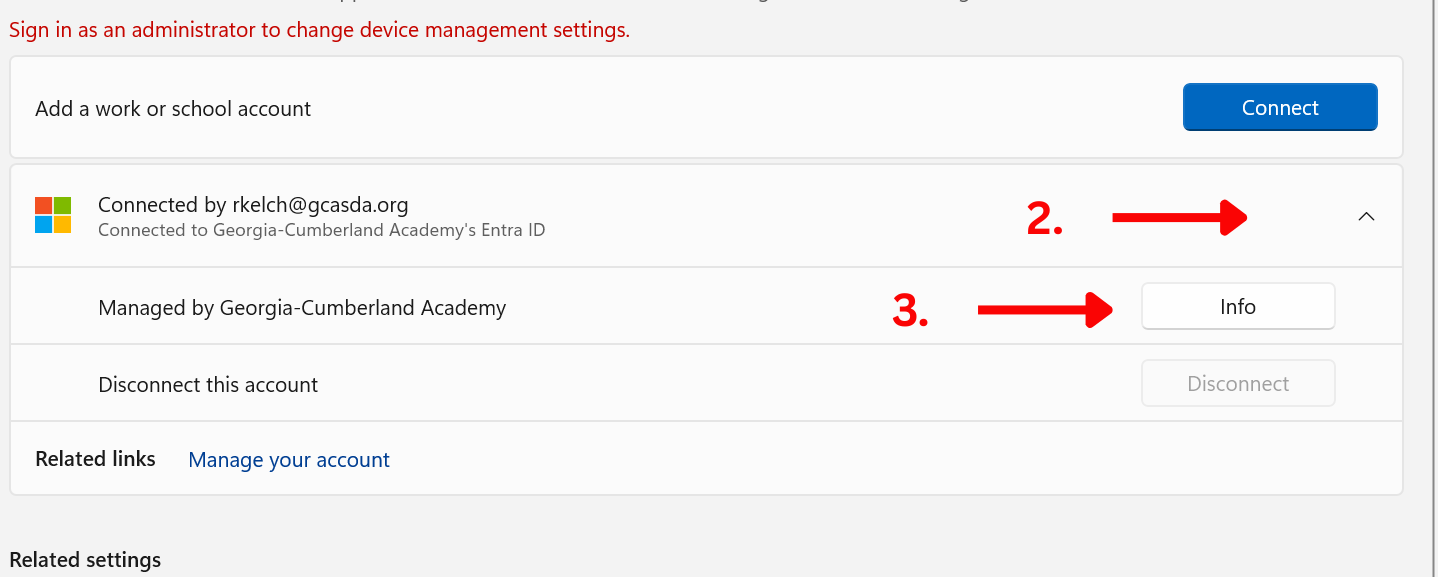
- Open Settings → Accounts → Access work or school
- Click on the connected work/school account
- Click Info
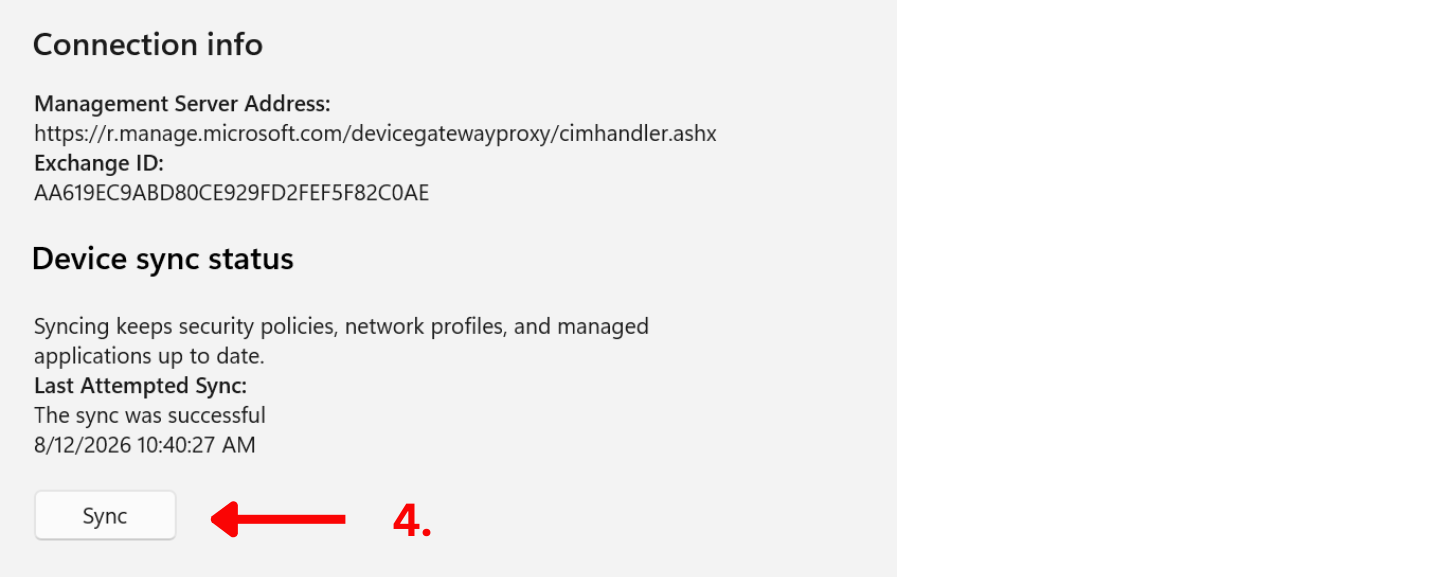
- Under "Device sync status," click Sync
- Stay connected to wifi, keep your computer on, do not let it go to sleep and do not close the lid. The process may take up to 30 minutes.
- If your computer automatically restarts, repeat steps 1-4.
Was this article helpful?
That’s Great!
Thank you for your feedback
Sorry! We couldn't be helpful
Thank you for your feedback
Feedback sent
We appreciate your effort and will try to fix the article